Skip to content
code-n

The Agent runs on your own computer

The Agent stays
at the computer.
You do not have to.

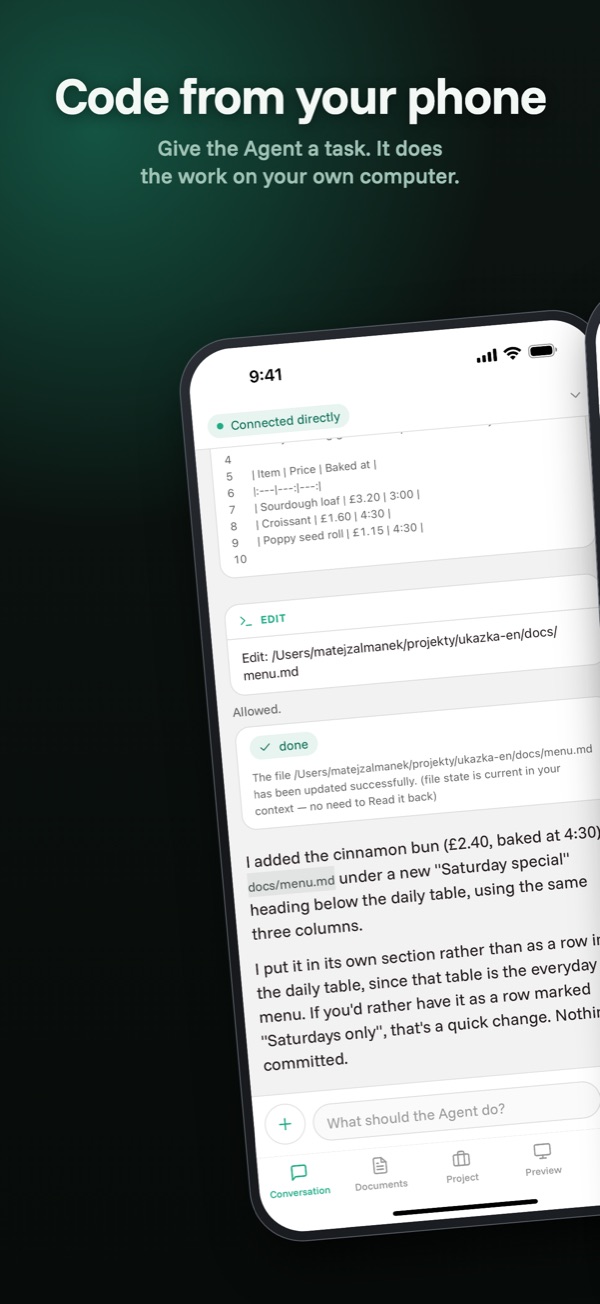
coden is a remote control for a development Agent working on your computer — with all the tools, dependencies and keys you keep there. From your phone you give it a task, watch every step, approve what it may run, and open the app it has just started right on your screen.

Free · Server for macOS, Windows and Linux · App for iPhone and Android · No server of your own, no account

The Conversation on the phone and the Server on the computer, the same moment.
Conversation direct connection

The test in junit.ts is failing. Find out why, fix it and run the unit tests.

  • Reading client/ts/junit.ts
  • Editing client/ts/junit.ts +7 −3

The Agent is waiting for permission

npm test -- junit
Deny Allow
coden — server
$ coden start --dir ~/projekty/jobino
 identity a1:9f:c4:… loaded
 listening on UDP 7500
 client “Pixel 9” connected · direct connection
 agent: reading client/ts/junit.ts
 agent: editing client/ts/junit.ts
 agent: waiting for approval — npm test

One afternoon

Two parallel tracks. One thread of work.

This is the whole point. On the left is your day, on the right your computer — and between them runs a single connection that does not need you sitting at it.

You Your computer
  1. On the tram you write: “The test in junit.ts is failing. Find out why, fix it and run the unit tests.”

    The Agent opens the working directory and reads client/ts/junit.ts

  2. The phone buzzes — the Agent wants to run npm test. You allow it.

    The tests run in your environment, with your dependencies

  3. You read what the Agent changed and why. You close the phone.

    143 of 143 tests passed

  4. You are at lunch. The app does not even have to be open.

    The Agent carries on. Disconnecting the phone does not stop it.

  5. You open the Preview and click through the new screen on a real display.

    The dev server runs on port 5173 and is tunnelled into the phone

  6. Commit. Back to work.

    git commit -m “fix JUnit XML parsing”

Between 2:11 PM and 3:16 PM you were not there. The Agent did not mind — the Server kept its output and once you connected, everything you had missed arrived in the right order.

How it works

Three steps. Nothing after that.

  1. 1

    Start the Server on the computer

    $ coden start --dir ~/projekty/muj-projekt

    One process, one project. It does not start with the system and nothing listens in the background — it runs when you start it and ends when you end it.

  2. 2

    Pair the phone with a QR code

    $ coden pair

    The Server prints a one-off, short-lived code and the phone reads it with the camera. It is the only moment you have to be at the computer. Not a second time — not even in three months.

  3. 3

    Work from anywhere

    The phone and the computer find each other even when both sit behind NAT and get a different address every time. The connection is direct; where the network does not allow it, it switches to the Relay and the Client tells you.

Pairing is the only moment you have to be at the computer. A paired phone connects even after three months and after swapping Wi-Fi for mobile data, because the identity of the connection does not hang on an IP address.

What you do with it from the phone

Four tabs, and none of them is a chat about code.

Conversation

You give a task and you see the work, not just the result.

  • The reply is written as it comes, live.
  • You see every step: which file the Agent reads, what it changes in it, which command it ran and what it returned.
  • Risky steps ask for your permission. A standing permission for a kind of action is granted and withdrawn by you.
  • You can interrupt the Agent at any time.
  • There can be several Conversations and you return to any of them.
  • When it is done a notification arrives — even with the app closed.

Project

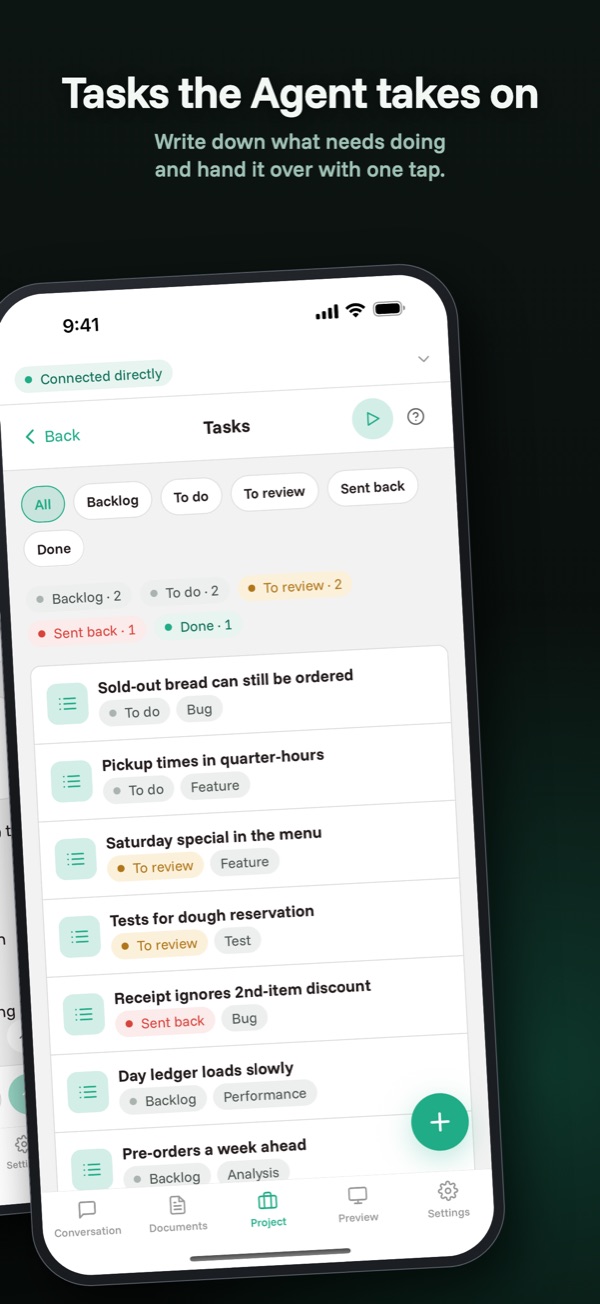
Tests, git and code explanations without a single line of prompt.

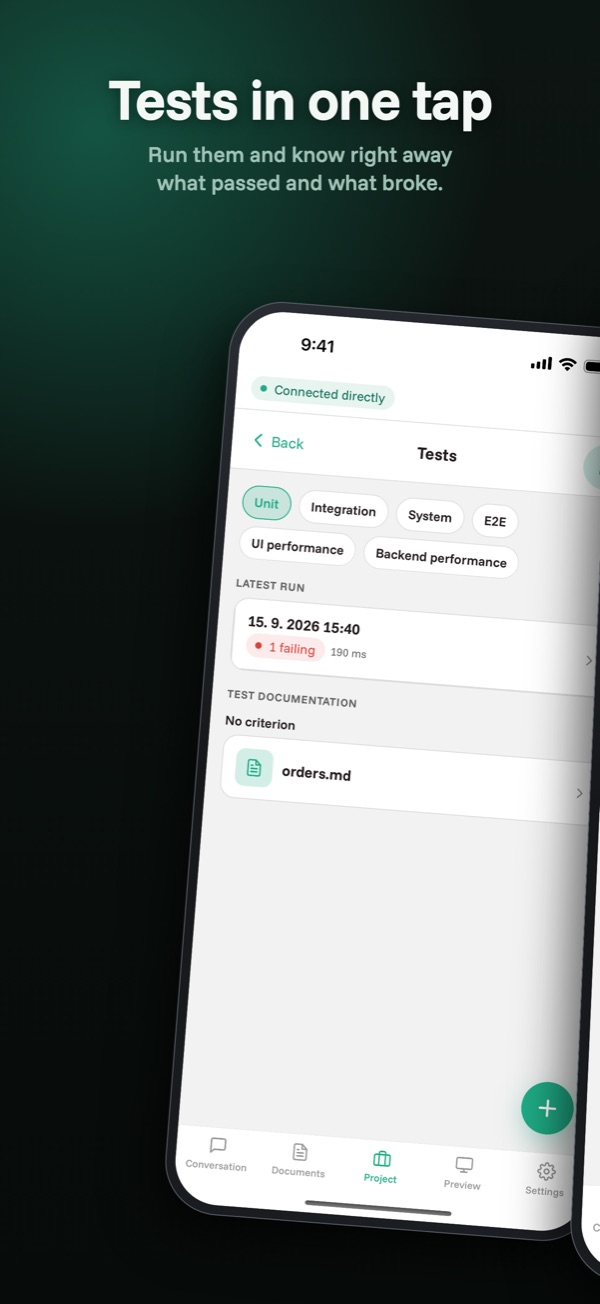
  • Tests: the history of runs by level, counts and durations, readable without a connection.
  • From a failing case you click through to what it actually verifies — and to a screenshot from the moment it failed.
  • New tests are ordered by picking a level and a criterion. You see how demanding the coverage is before the Agent starts.
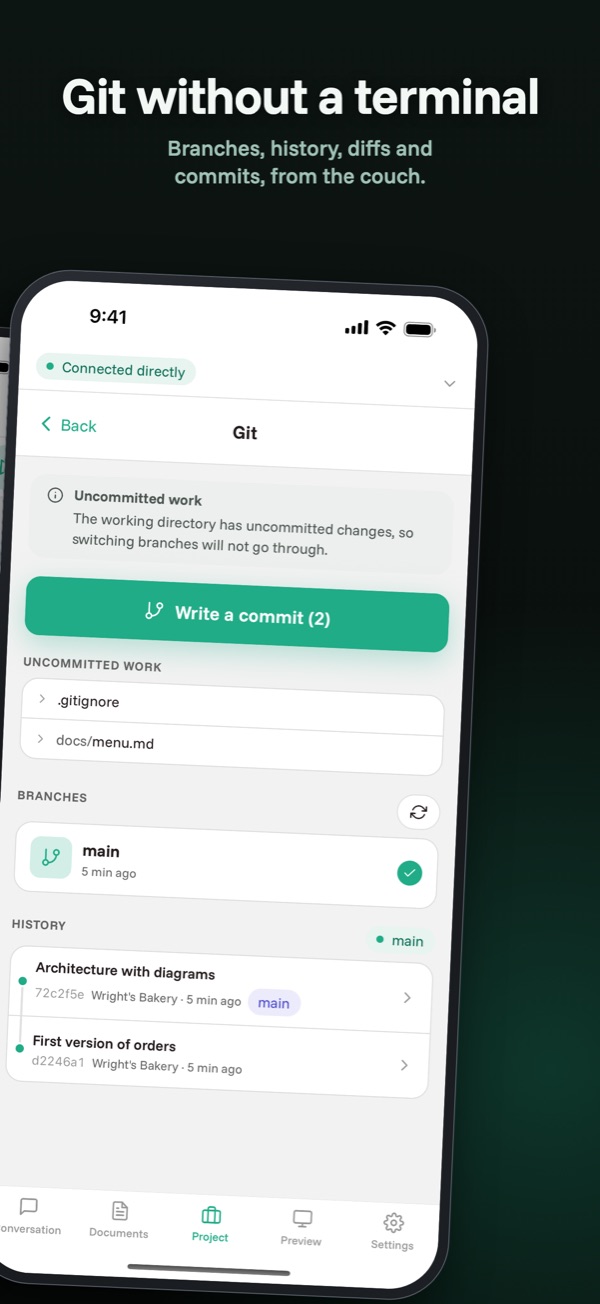
  • Git: branches, switching, merging and a commit by hand.
  • Explanations: you have a piece of code explained aside from the main conversation. The answer is saved into the repository as documentation.

Documents

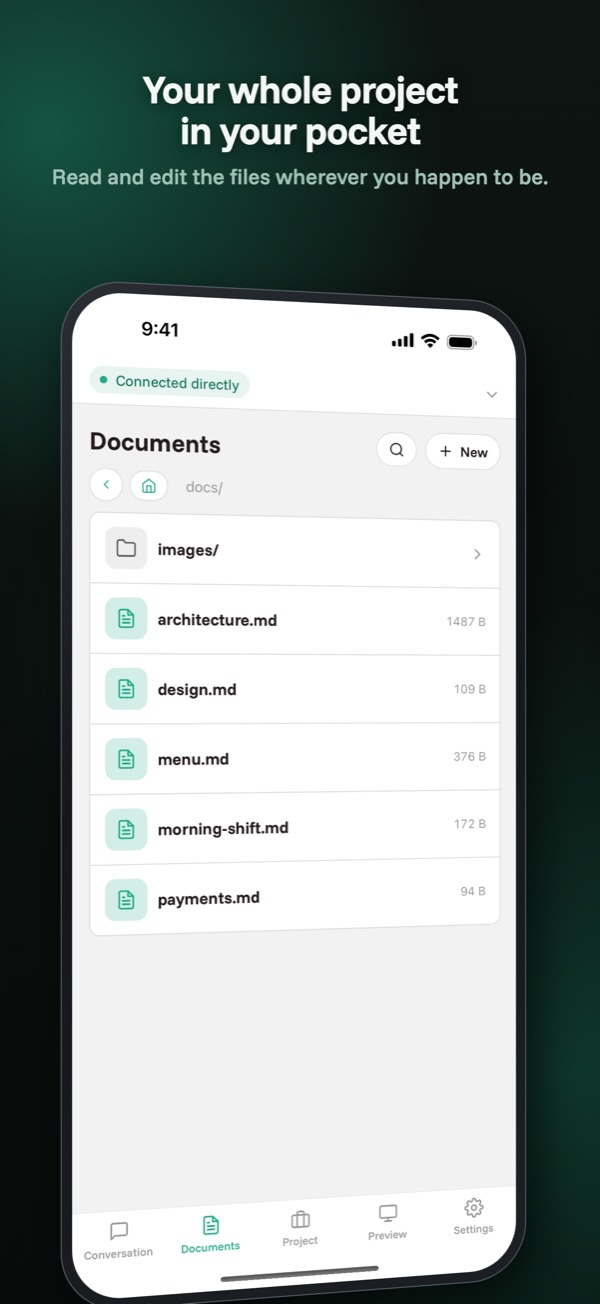
The project documentation in your pocket, even on a plane.

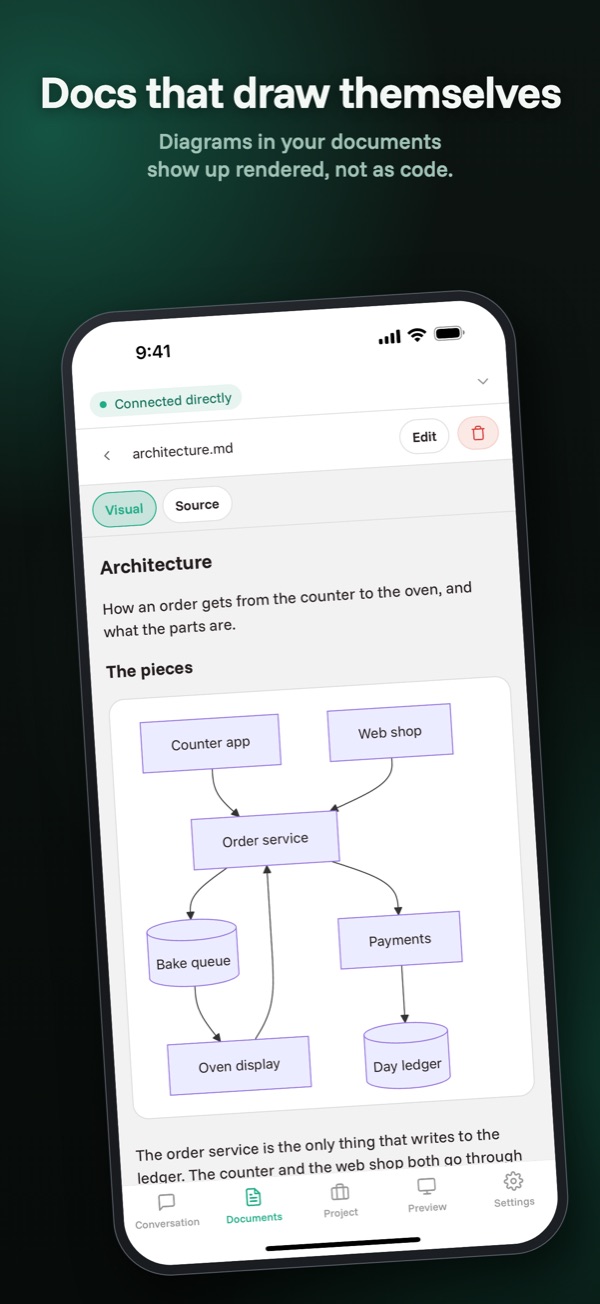
  • All the .md files and images from the repository, at any depth.
  • Only what changed is transferred.
  • Mermaid diagrams are drawn, not printed.
  • A Document can be edited, created and deleted from the phone.
  • Reading works without a connection to the Server too.

Preview

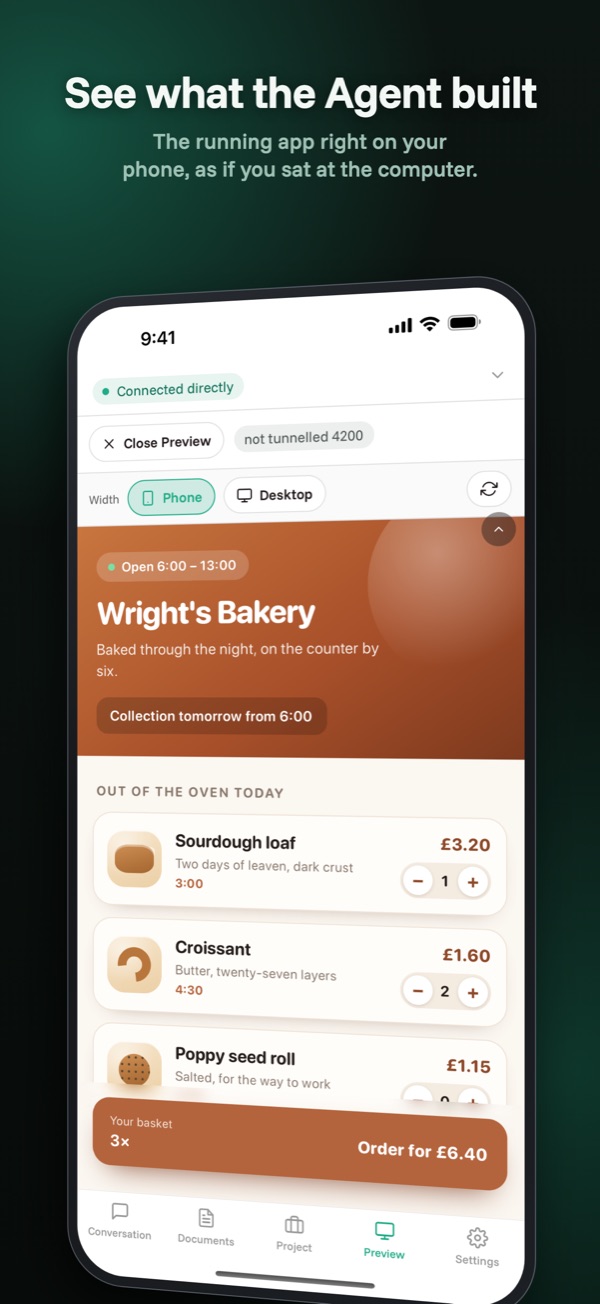
The app you are building on a real mobile display.

  • The app the Agent started on the computer opens on your phone.
  • Including touch control and hot reload.
  • Every target has its own address, so logins and state stay apart.
  • Preview traffic never slows the conversation down — the streams have priorities.

Where your data flows

The phone is a remote control, not a copy of the project.

The source code exists in a single place — on your computer. The phone gets documentation, images and the text of the conversation. None of it passes through anything we could read.

  • The code is not on the phone

    Documentation and images are mirrored to the phone. Source code never. A lost phone does not mean a lost project.

  • The identity is pinned at pairing

    After pairing, your computer's key is fixed. A mismatch is not a warning you can click away — it is the end of the connection. You get further only by pairing again at the computer.

  • The Relay is blind

    We run it and we have no way of reading what flows through it. It forwards encrypted datagrams and keeps none of them. It sees that two devices are talking, not what about.

  • The Agent stays yours

    It runs under your account, in your environment, with your keys to the model provider. We do not send the project to any infrastructure of ours, because we have none for it.

  • The default is cautious

    Writing to files and running commands both ask for permission the first time. It can be loosened, but you have to do it deliberately.

Before you download anything

FAQ

Do I have to run a server of my own for this?

No. We run both the Rendezvous and the Relay and they are free. You download the Server onto the computer, the app onto the phone, and set up nothing else.

What happens when I lose signal?

The Agent keeps working. The Server stores its output and once you connect, everything you missed arrives in the right order. A waiting approval request waits too.

Does the computer need a public IP address or a forwarded port?

No. Both sides register with the Rendezvous and connect straight through NAT. Where the network does not allow it — typically with some mobile operators — the traffic goes through the Relay and the Client says so.

How much mobile data does it use?

Prompts, the text of replies, documentation and images travel — roughly like a chat app. Source code does not. Only the Preview uses more, and you start that yourself and see when it runs.

Which Agent does coden use?

The Claude Agent SDK, that is the same loop as Claude Code, running on your computer under your Anthropic API credentials.

How much does it cost?

The app nothing. You pay only what the Agent uses at the model provider — just as when you run Claude Code in a terminal.

Can several phones be connected at once?

Not yet. The Server serves one device at a time; a second paired phone gets a message saying which device is connected. There can be more paired phones.

Can it handle several projects?

One Server serves one working directory. For a second project you start a second Server on a different port and pair the phone with it.

Try it tonight.

Downloading and pairing takes ten minutes. After that you just give a task and walk away from the desk.